Landlord lock
If the landlord lock is active it will block access to certain options such as:
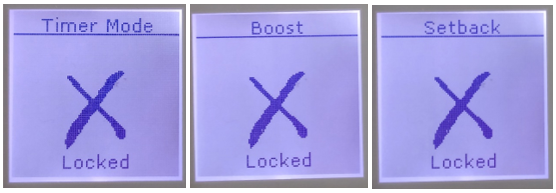
To disable Landlord lock, the Landlord or product owner should carry out the following:
- Press and hold Menu + Back + Enter
- When the Service Menu appears select Landlord Lock
- Enter the 4 digit pin number that was used to enable the lock
- On the next screen select Disable
You should then be able to access the standard menu level options and modes
Applicable models
XLE – XLE050, XLE070, XLE100, XLE125, XLE150
TSRE – TSRE050, TSRE070, TSRE100, TSRE125, TSRE150
Was this article helpful?
That’s Great!
Thank you for your feedback
Sorry! We couldn't be helpful
Thank you for your feedback
Feedback sent
We appreciate your effort and will try to fix the article