Elec Mode blocked
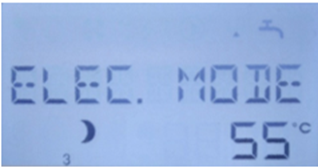
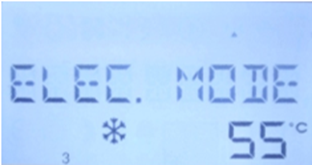
If your Edel display appears similar to either of the two shown above, specifically showing ELEC MODE and either the Moon or Snowflake symbols, this would indicate that the electric immersion element operation is being blocked. This occurs when the cylinders timer profile is set to either Eco mode (Moon) or Frost Protect (Snowflake).
Need hot water
If you require hot water via the electric immersion whilst awaiting a product issue to be resolved, you can easily overwrite the existing profile in order to give you access to hot water in the meantime. The quickest way to do this is to carry out the following:
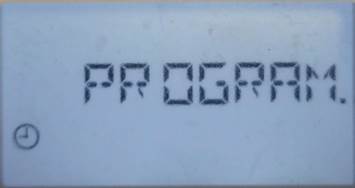
1. On the home screen press and hold the Clock symbol until ‘PROGRAM’ appears, then let go
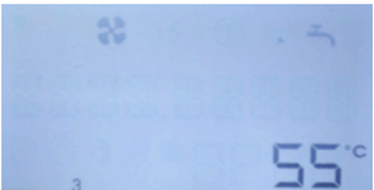
2. Turn the dial until ‘MON-SUN’ is displayed and press the dial
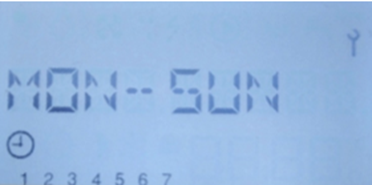
3. Turn the dial until ‘NEW PROG’ is displayed and press the dial
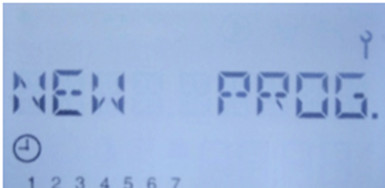
4. Turn the dial anti-clockwise until the bottom right figure reads 24:00, then press the dial
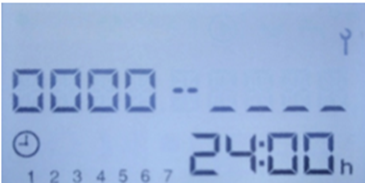
5. Turn the dial clockwise until ‘COnF’ is displayed and press the dial
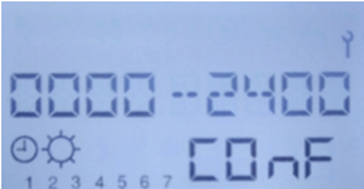
The display will then show ‘OK MON-SU’ before reverting to the start of the programming, press ‘Menu’ once and this will return you to the home screen.
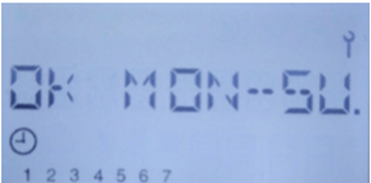
This will have now set the timer profile to allow reheating 24/7 until your issue is resolved and the timer profile can then be reprogrammed according to your needs.
Alternatively, if you are comfortable adjusting the timer, you can edit it accordingly to allow for some comfort (COnF) periods.
Applicable Models
EDL200UK-630RF, EDL270UK-630RF, EDL200UK-630, EDL270UK-630
Was this article helpful?
That’s Great!
Thank you for your feedback
Sorry! We couldn't be helpful
Thank you for your feedback
Feedback sent
We appreciate your effort and will try to fix the article